You know that gut-wrenching moment when you pull up to your site on Monday morning and immediately know something’s wrong? Yeah, I’ve been there. Equipment gone. Copper wire stripped. Sometimes just senseless vandalism that sets you back days.
Construction theft is a massive problem we’re talking billions of dollars every year. And it’s not getting better. But here’s what I’ve learned after dealing with this headache for years: good cameras don’t just help you catch thieves. They stop most of them from even trying.
Let me walk you through what actually works.
Why Regular Security Cameras Don’t Work on Job Sites
Here’s the thing construction video surveillance sites are brutal environments. You’ve got dust flying everywhere, weather that changes by the hour, no reliable power in half the locations, and the whole site layout shifts every couple of weeks.
Those nice cameras they sell for suburban homes? They’ll last maybe a month before they’re toast.
Construction-grade cameras are different beasts:
- HD recording that actually shows you useful details (not just blurry shapes)
- Night vision that works in complete darkness
- Weatherproofing that holds up through anything Mother Nature throws at it
- Wireless options (because who has time to run cables on a constantly changing site?)
- Pan/tilt/zoom to cover more ground with fewer cameras
- Motion sensors that save battery and storage by only recording when there’s action
- AI that’s smart enough to ignore a plastic bag blowing by but alert you when a person shows up at 2 AM
They cost more upfront, but they’re the only ones that’ll survive more than a few weeks on a real job site.
How Much This Has Changed (Even in Just the Last Few Years)
Remember when “security” meant paying someone to sit in a trailer all night, probably watching TV or sleeping half the time? That was the only option for years.
Now? I can be at my kid’s soccer game and get a notification on my phone that someone’s on the site. I can pull up live video, hit a button to turn on the floodlights and speaker, and literally tell them I’m calling the cops – all before they’ve touched a single piece of equipment.
Everything runs through the cloud now. Your footage is backed up automatically, you can access it from anywhere, and you don’t need a server room or IT degree to manage it.
And this isn’t just for the big commercial guys anymore. I’ve seen residential contractors running these systems on houses they’re flipping. It’s become that affordable.
Why You Actually Need This (Beyond the Obvious)
Your Site Never Sleeps
Cameras don’t get tired. They don’t need coffee breaks. They don’t call in sick or show up late. They just work, watching everything, all the time.
I sleep better knowing that.
Stop Problems Before They Become Disasters
The newer systems are genuinely smart. Something weird happens – someone climbing the fence, a vehicle that shouldn’t be there – and within seconds you get an alert. The system can flip on lights, sound alarms, let you talk through speakers, or automatically contact police.
Last month, this stopped what would’ve been a $50,000 equipment theft. The guys saw the lights come on, heard the alarm, and bolted. Never even made it to the excavator they were after.
The Math Actually Makes Sense
A decent security guard costs what, $25-40 an hour? For 24/7 coverage, you’re looking at potentially six figures a year when you factor in all the shifts.
A solid camera system? Maybe 20-30% of that cost. One system covers multiple areas simultaneously. No overtime, no benefits, no scheduling headaches.
Safety Isn’t Just About Theft
I’ll be honest – I originally got cameras just to stop theft. But they’ve helped prevent injuries too.
We caught guys not wearing harnesses when they should’ve been. Spotted unsafe scaffolding before anyone got hurt. When there WAS an incident, the footage showed us exactly what happened so we could prevent it next time.
Plus, when OSHA comes knocking, having video proof of your safety protocols is priceless.
Covering Your Assets (Literally)
Had a client once claim we damaged their property. They wanted $15,000 to fix it. Pulled up the footage – showed the “damage” was already there when we started. Case closed.
Video settles disputes. It proves timelines. It protects you from fraudulent injury claims (which are way more common than you’d think). It’s saved my company more money than I’ve spent on the systems themselves.
Different Setups for Different Situations
Mobile Units (My Personal Favorite)
These are like the Swiss Army knife of construction cameras. Throw them on a trailer, drive them wherever you need coverage that week, and they just work.
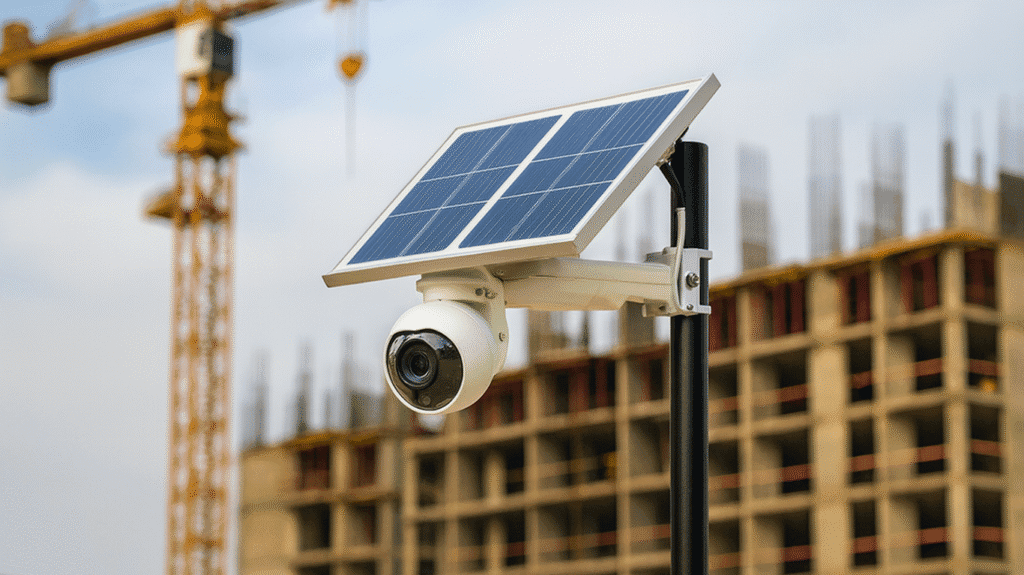
Solar panels keep them charged. Cellular connection means no WiFi needed. When the job’s done, load them up and take them to the next site.
Perfect for short-term projects or when you need to shift coverage as the work progresses.
Permanent Installations
For longer jobs – like when you’re building something that’ll take a year or more – fixed cameras make sense. Hardwire them in, set up a proper recording system, position them to cover every angle.
More reliable, generally better video quality, and you’re not worried about someone just picking them up and walking off with them.
The Hybrid Approach (What Most Smart Contractors Do)
Most guys I know run a mix. Fixed cameras at main gates, equipment yards, and key areas. Mobile units they can reposition to wherever the action is that week.
It’s flexible without sacrificing coverage. That’s the sweet spot.
What Actually Matters When You’re Shopping
Can You Check It from Your Phone?
If you can’t pull up live video from wherever you are, what’s the point? This should be dead simple – app on your phone, tap it, see your site.
If a salesperson starts talking about complicated login procedures or desktop-only access, walk away.
Cloud Storage (Not Optional Anymore)
Local storage – like recording to a hard drive on site – has two big problems. First, storage fills up. Second, if someone steals the recorder, your evidence is gone.
Cloud storage backs everything up automatically, gives you basically unlimited space, and lets you find specific footage in seconds instead of scrubbing through hours of video.
AI That’s Actually Useful
“AI” gets thrown around a lot, but in security cameras, it’s genuinely helpful. Good systems can:
- Read license plates (automatic access control)
- Count people (track who’s on site)
- Detect falls or accidents (immediate emergency response)
- Tell the difference between a delivery truck and a suspicious vehicle at 3 AM
- Filter out animals so you’re not getting alerts every time a raccoon walks by
This stuff works. It’s not sci-fi anymore.
Plays Well with Others
Your cameras should integrate with whatever else you’ve got – gate systems, alarms, motion lights, whatever.
When everything talks to each other, you’ve got actual security. When they’re all separate systems, you’ve got a mess.
Figuring Out What You Actually Need
Before you buy anything, think through:
- How much area are we talking? (A residential lot vs. a 50-acre commercial site makes a big difference)
- Where’s the expensive stuff? (Focus your best cameras there)
- How many ways can someone get in?
- Is there power available everywhere you need coverage?
- How long’s this project going to take?
- What’s crime like in this area? (Be honest – some neighborhoods you need Fort Knox, others not so much)
- What does your insurance company require? (Sometimes they specify minimum coverage to maintain your policy)
Camera Placement 101
Cover these spots first:
- Every entrance and exit (obvious but crucial)
- Wherever you store equipment overnight
- Material stockpiles (lumber, copper, anything valuable)
- The entire perimeter if possible
- Active work zones during the day
- Any blind spots where someone could hide or work unnoticed
Resolution – Don’t Go Cheap Here
1080p HD is the bare minimum. Can you see faces clearly enough to identify someone? Can you read a license plate? If not, it’s useless in court.
For critical areas – main gates, equipment storage – spring for 4K. The difference in clarity is massive when you actually need to identify someone.
Built for the Beating They’ll Take
Your cameras need to handle whatever your site dishes out:
- Temperature swings (from freezing winters to blazing summers)
- Rain, snow, sleet, and everything else
- Dust and dirt constantly in the air
- Vibration from heavy equipment
- The occasional bump from a forklift or crane
Look for IP66 or IP67 weather ratings at minimum. And get housings that can take a hit – someone determined enough will try to smash or spray-paint them.
Getting Set Up
DIY or Call in a Pro?
Some systems are plug-and-play enough that you could install them yourself. But honestly? Unless you really know what you’re doing, call a professional.
They’ll make sure camera angles are optimized, everything’s configured correctly, and you’re not leaving blind spots. The few hundred bucks you save doing it yourself isn’t worth it if the system doesn’t work right when you need it.
Test the Living Daylights Out of It
Don’t just assume it’s working. Test everything:
- Video quality in bright sunlight, at dusk, and in complete darkness
- Motion detection (walk around, drive a vehicle through, whatever)
- Remote access from your phone and computer
- Alerts (make sure they’re actually coming through)
- Recording and playback
Better to find problems now than when there’s an actual incident.
Train Your Team
If you’re the only one who knows how to use the system, that’s a problem. Train your foremen, site managers, whoever needs access.
Show them how to pull up footage, respond to alerts, and export video if needed. Keep it simple – if they can’t figure it out in five minutes, it’s too complicated.
Legal Stuff (Yeah, I Know, Boring but Important)
Recording laws vary by state. Some are really strict about audio recording. Most places require you to post signs letting people know they’re being recorded.
Check with a lawyer familiar with your state’s laws. It’s not expensive and it’ll save you from potential legal headaches.
Also – and this is important – call your insurance company. Many will reduce your premiums if you’ve got proper surveillance. Mine dropped my rate by 15%. That pays for the cameras pretty quickly.
Does It Actually Pay for Itself?
Theft Prevention Is the Big One
I’ve seen the data and lived it myself – visible cameras cut theft by about 90%. Think about that. Nine out of ten thieves see cameras and just move on to an easier target.
One prevented theft pays for your whole system. Everything after that is pure savings.
Bogus Claims Go Away
Insurance fraud is real. People claim injuries that didn’t happen, damage you didn’t cause, work you didn’t do wrong.
Video footage ends these conversations immediately. I’ve probably saved $100,000 or more over the years just from avoiding fraudulent claims.
You’ll Run a Better Operation
This is something I didn’t expect – cameras help you manage better.
Notice your crew’s spending too much time on something? See it in the footage and figure out why. Equipment sitting idle? The video shows you. Material deliveries getting stacked inefficiently? You can see it and fix it.
It’s like having eyes everywhere, and it makes you a better manager.
What’s Coming Down the Pike
The technology keeps improving. Drones that patrol large sites automatically. Thermal cameras for perfect nighttime monitoring. 360-degree cameras that eliminate blind spots. 5G connectivity making everything faster.
AI’s getting scary good at predicting problems before they happen – like noticing someone casing your site days before they actually try something.
It’s pretty wild where this is headed.
The Bottom Line
Look, I get it. Camera systems feel like another expense when you’re already juggling a million things and watching every dollar.
But here’s the reality: construction sites are targets. Always have been, always will be. The question isn’t whether you’ll deal with theft or vandalism or false claims – it’s when.
Good cameras stop most problems before they start. They document everything else. They pay for themselves through theft prevention, insurance savings, and avoiding bogus lawsuits.
I spent years resisting this, thinking it was overkill. Then I got hit with a major theft that could’ve been prevented. Never again.
Whether you go with mobile cameras, fixed installations, or a mix of both, just get something in place. Talk to security companies that understand construction (not just regular security). Find something that fits your budget and actually works for how you operate.
Your future self – the one not dealing with stolen equipment or a $50,000 fraud claim – will be really glad you did.
Start with your biggest vulnerability. Maybe that’s your equipment yard, maybe it’s an isolated section of a large site. Get cameras there first, see how they work for you, then expand.
You don’t have to do everything at once. But you do need to start.
FAQ
Frequently asked questions
A virtual assistant is a remote professional who handles tasks that don’t necessarily need to be done by you. They can manage emails, schedule meetings, handle customer inquiries, manage social media, bookkeeping, project coordination, and other administrative work to free up your time for high-impact activities.
- Crystal Clear High Definition Video Surveillance
- Seamless Real Time Remote Monitoring
- Expansive Wide Angle Security Coverage
Construction sites are high-risk areas for theft, vandalism, safety violations, and false claims. Video surveillance helps deter criminals, alerts you instantly to suspicious activity, documents incidents, and protects your equipment, workers, and business.
Construction cameras are built for harsh environments. They offer HD clarity, night vision, weatherproofing, motion detection, wireless options, and AI features that work reliably in dusty, changing, or low-power job sites. Regular home cameras usually fail within weeks on a construction site.
Yes. Security guards can cost tens of thousands annually for 24/7 coverage. A quality camera system is often only a fraction of that cost. Cameras monitor multiple areas at once, never take breaks, and often prevent theft before it happens.
Choose based on project size and duration. Mobile solar-powered units work best for short-term or shifting sites. Fixed installations are ideal for long projects that require stable coverage. Many contractors use a mix of both for maximum flexibility.
Focus on remote access from your phone, cloud storage, useful AI features, weatherproof ratings, high-resolution video, and compatibility with alarms or lighting systems. Make sure the cameras can handle site conditions and provide clear footage for identification and evidence.