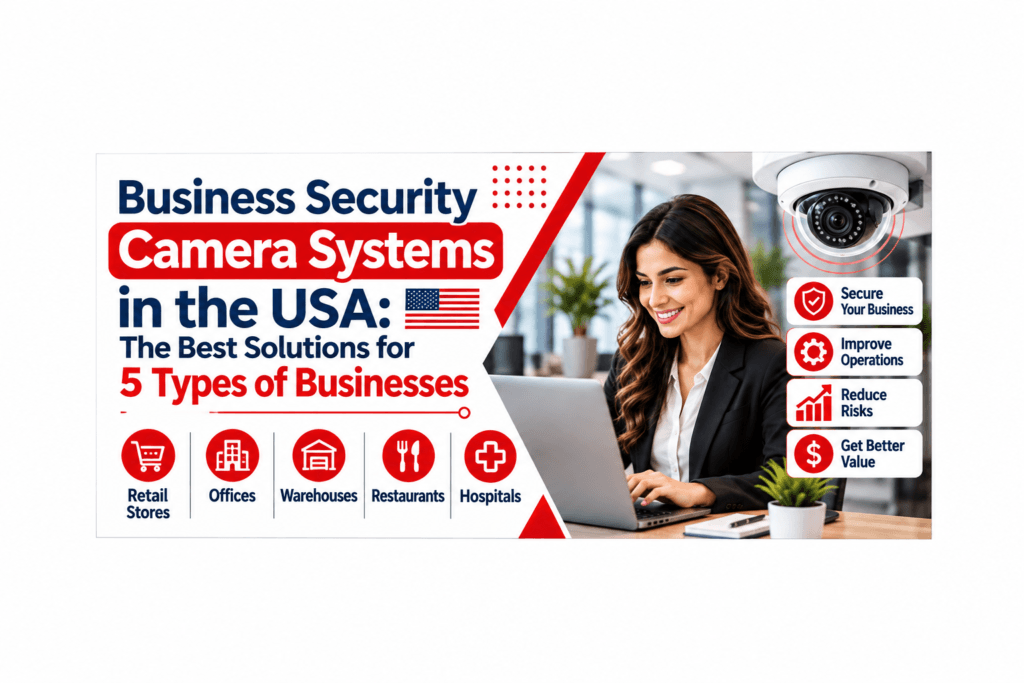
How do you secure your business property without blowing your budget on an expensive security system. Finding the right business security camera systems USA depends on knowing about your business’ needs, layout, and operating processes. For instance, retail shops will need cameras at the checkout counters, while for warehouses, cameras will be needed at the loading docks and the storage areas.
Today’s modern surveillance systems provide high-definition video, night vision, remote viewing, and motion detection capabilities. Nonetheless, additional features don’t necessarily ensure increased security. This guide will discuss five businesses, highlight the necessary camera features, as well as explore the installation, storage, and purchasing options of CCTV systems.
1. Retail Stores and Shopping Centers
These areas should be observed by retailers. Security camera for business provides managers an opportunity to study the situation, resolve conflicts and observe valuable goods.
Small businesses may perform better with fixed dome or bullet cameras, while larger retail businesses may require wide-angle camera views along with close views of their checkout areas. Factors like lighting, angle of view of the camera, and shelf positioning will impact image clarity.
2. Warehouses and Distribution Centers
Warehouses contain spacious areas, elevated shelves, loading docks, and even outdoor storage space. An efficient system will combine wide-angle cameras to cover broad areas and other specialized cameras for loading bays, entry points, and inventory areas. The outdoor cameras should be suitable for the prevailing weather conditions and lighting.
Prior to the calculation of the installation, you should find out how many cameras will work at one time and the duration of video storage. You should take into account such factors as the network capacity, cable routing, power supply, and recorder placement.
3. Corporate Offices and Commercial Buildings
Offices require security management at their entrances, reception areas, parking lots, hallways, and other restricted areas like server rooms. Intelligent surveillance for offices allows authorized personnel to monitor events via one screen. Camera systems will not function in place of access control and visitor protocols, so ensure compatibility before purchase.
Privacy is equally important. Don’t go into private areas like the bathroom and dressing room, and take note of federal, state, and local regulations, particularly regarding audio recording. Establish clear policies about the distribution and storage of recorded files.
5. Manufacturing Facilities and Industrial Sites
There will be occasions where a factory requires coverage within its factory floors, equipment zone, vehicle entrance and perimeter area. Dust, vibrations and varying light make installation of these cameras more difficult than the usual office camera, so select your camera based on environment and not resolution.
Fixed cameras give constant coverage, while pan tilt zoom cameras help the user cover more ground. Thermal cameras are used to detect heat but cannot replace video cameras if there is a need for clarity. Remember to locate strategic places and accessibility to electricity.
What Features Should Business Security Camera Systems Have?
Resolution is important, but having more pixels won’t help if the target is too far off or has bad lighting. Camera lens selection, height of installation, and lighting all influence picture quality. Determine what resolution you require at each site and test the cameras accordingly.
Some useful features are those of infrared night vision, low light vision, motion alerts, remote monitoring, security user accounts and management systems. Consider the size of the memory, software costs, warranty and support by the manufacturer.
How Much Do Business Security Camera Monitoring Services Cost in the USA?
The cost of business security camera monitoring depends on the number of cameras, property size, monitoring hours, number of locations, and level of security coverage required. A small retail store may need basic remote monitoring, while a large warehouse or multi-location business may require more extensive 24/7 monitoring and threat detection. Choose a monitoring solution that matches your property’s security needs and budget.
Cost component | What to check |
Cameras and accessories | Type, resolution, mounts and ratings |
Installation labor | Mounting, cabling, setup and testing |
Network and power | Ethernet, PoE switches and upgrades |
Recording and storage | NVR or cloud, retention period |
Software and licenses | Subscriptions and user limits |
Maintenance and support | Warranty, updates and response time |
Future expansion | Extra cameras and compatibility |
Cloud Storage or a Local NVR: Which Is Better?
Cloud computing systems are easy to use when it comes to remote monitoring and management. Remember that you have to take into account the subscription fee, internet requirements, and system performance in case of low connectivity.
Network Video Recorder in Local Area Network (NVR) stores images in your own facility and gives you full access to storage capacity. There are other aspects to be considered in NVR.
How to Choose the Right System for Your Property
First things first, identify where you want to put your surveillance system and what you want to protect against. Do a walk-around of the site with an installer to find the entrances, dead spots, lighting areas, and restricted areas. Keep in mind that in assessing the proposals, it is all about coverage, not the quantity of cameras.
Check compatibility, retention capabilities, software fees, warranties, and future upgrade potential before buying. Ask for a demonstration on how staff will locate and export audio recordings. If you have federal contracts, find out what specific hardware is required.
Conclusion
The right system begins by examining how you run your property. A retail facility requires a surveillance system that can view clearly the entrances and selling points. A warehouse calls for a surveillance system capable of covering wide areas, while offices require access control systems.
Arrange a site assessment and compare itemized proposals from qualified installers. Weigh image quality, storage, ongoing costs, privacy and future expansion together.
FAQ
Frequently asked questions
A virtual assistant is a remote professional who handles tasks that don’t necessarily need to be done by you. They can manage emails, schedule meetings, handle customer inquiries, manage social media, bookkeeping, project coordination, and other administrative work to free up your time for high-impact activities.
- Crystal Clear High Definition Video Surveillance
- Seamless Real Time Remote Monitoring
- Expansive Wide Angle Security Coverage
This should take into account all major entrances, customer sections, and weaknesses within your budget. This will be achieved through a site assessment.
It is determined by the layout, areas that need surveillance, and blind spots. Work with the coverage rather than using the ratio of the size of the structure.
While HD can shoot quality video images, light, lens, distance, and angle of shooting matter too.
This is determined by your security needs as well as your legal obligations. Develop a retention policy and keep video footage where necessary.
Many products provide imaging using infrared or low-light vision. If possible, test the equipment under realistic conditions.