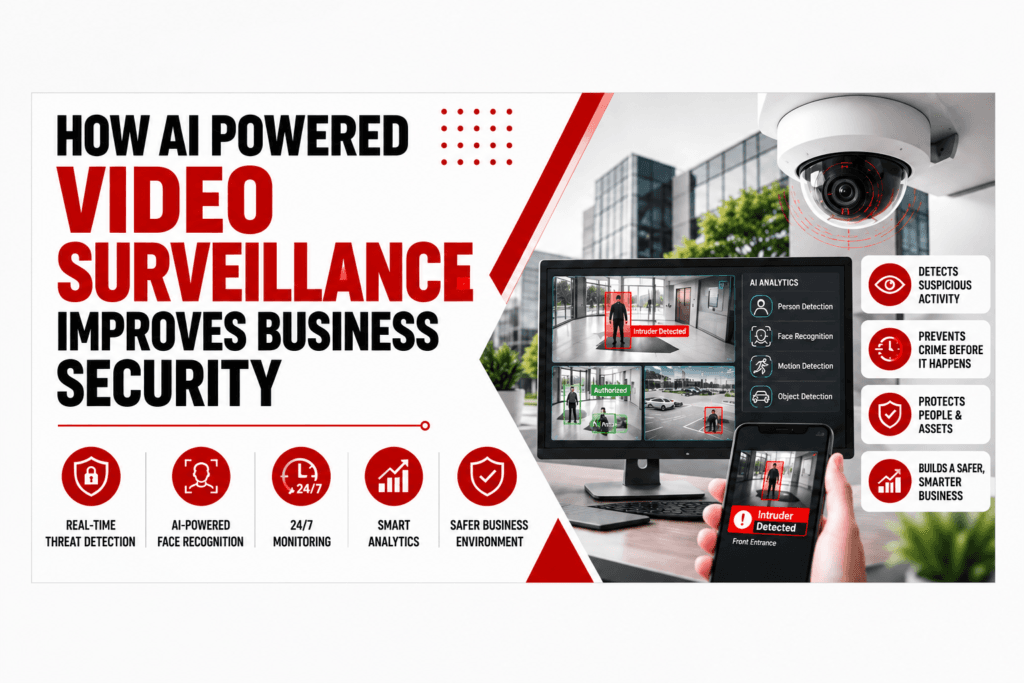
Cameras record. That’s about all a lot of them ever did for years. Somebody set them up, footage sat on a drive somewhere, and unless there was a break-in, nobody ever watched it back. Most businesses still have hours of footage piling up that no one has time to sit through, and a small security team obviously can’t watch six screens at once forever. That’s the gap AI video surveillance is actually filling. It doesn’t just record; it looks at what’s moving, notices when something’s off, and tells a person when it’s worth a look.
AI powered video surveillance speeds up how fast a business can react and takes a chunk of the constant watching off someone’s plate. Shops, offices, warehouses, whatever site you’re running, business video surveillance tends to get noticeably more useful once there’s some actual intelligence sitting behind the cameras rather than just a recorder ticking over. This guide gets into how it works, where it’s genuinely worth the money, where it falls short, and what video surveillance services bring to the table when you’re trying to build something that actually responds rather than just quietly recording everything forever.
How It Actually Works
AI powered video surveillance sits another layer on top. Software watches the feed and looks for things that match certain patterns.
Things like:
Someone in a restricted area they shouldn’t be in
- Movement outside normal hours
- A vehicle somewhere it has no business being
- Someone crossing a line that’s been marked as off-limits
- An object left behind
- A crowd doing something odd
- Repeated activity around one spot
Trip one of those and an alert goes to whoever’s supposed to see it.
None of this replaces a security guard, and it’s not meant to. It just means the guard’s attention goes to what actually matters, because plenty of decisions still need a human brain and some context a camera simply doesn’t have.
Where It Cuts Down Blind Spots
Older business video surveillance setups have one obvious problem: the sheer volume of footage they churn out. Every day, on and on.
Thirty cameras, running around the clock. Watch all of that manually and you’d need a small army, and frankly nobody’s got the budget for that.
AI video surveillance cuts that down to something a person can actually deal with.
Instead of every camera getting equal attention (which never really worked anyway), the software flags whatever matches specific conditions, so staff get to what matters sooner. Take a warehouse with cameras on the loading bays, entrances, and storage. An ai video surveillance system might flag movement near a restricted loading bay outside scheduled hours, the exact sort of thing someone watching six feeds at once would probably miss entirely.
Faster Alerts Mean Faster Response
A regular camera will happily record someone walking into an area and just sit there, footage building up, unless somebody’s watching that exact screen at that exact second. An ai powered video surveillance recognise the activity and fire an alert straight away, based on whatever rules were set up.
Useful for things like:
- Unauthorised entry
- Perimeter breaches
- Suspicious activity
- After-hours movement
- Restricted-area access
- Unusual vehicle movement
One thing, though: not every alert means something’s actually wrong. It’s a reason to check, not proof. Which is exactly why decent video surveillance services pair the tech with a proper response process, rather than letting alerts stack up in someone’s inbox that nobody ever opens.
Fewer False Alarms
AI video surveillance can classify what it’s actually looking at, so it tells the difference between a person and, say, a plastic bag. It might be set to only flag an actual person entering a marked zone, rather than reacting to every flicker of movement in frame.
Video surveillance services cut the noise down considerably and let a team focus on stuff that genuinely fits the criteria. Most providers in this space point to false-alarm reduction as one of the real, practical wins here, and fair enough, it usually holds up, though results still ride on camera placement, lighting, and how well the thing’s configured.
Where It’s Worth the Most
Every site carries different risk, so what makes sense depends entirely on the building, not on how many video surveillance services or bells and whistles are on the spec sheet.
Retail stores get value watching entrances and restricted areas, and it helps after the fact too, when something’s gone missing and nobody can explain why.
Warehouses tend to have big, awkward spaces that are genuinely hard to watch by hand, so flagging movement near gates and loading zones matters more here than almost anywhere else.
Offices can point business video surveillance at entrances, reception, the car park, any room that actually needs it.
Construction sites carry more risk once everyone’s gone home for the night, so alerts on protected areas outside working hours earn their keep.
Multi-site businesses benefit most from centralising the whole thing. Proper video surveillance services let one team check alerts and footage across several locations without juggling five different logins.
AI Isn’t a Replacement for Actual Security Staff
Easy to assume the tech can just run the whole show by itself. It can’t.
AI processes footage fast, sure, but it doesn’t get context the way a person does. Someone walking into a restricted area might be a genuine problem, or it could be an employee working late, a contractor, someone from the fire brigade who’s meant to be there. The camera just sees a person moving. Working out why still needs a human.
Which is why AI powered video surveillance works best when the tech side and the human side get planned together from the start, with someone actually deciding who gets the alert, how it gets checked, and what happens next.
What to Actually Check Before Picking Video Surveillance Services
Choosing video surveillance services shouldn’t come down to comparing camera specs off a glossy brochure.
Worth asking, honestly:
What actually needs protecting? Entrances, stock, restricted rooms, the car park, whatever’s genuinely at risk on your site.
What kind of detection do you need? Person detection, vehicle detection, perimeter alerts, something more specific.
Will it work with the kit you already have? Some setups don’t need everything ripped out and replaced. Certain platforms run fine on existing infrastructure, though it’s worth actually checking that rather than assuming.
Who’s on the other end when an alert goes off? All the clever software in the world means nothing if nobody’s picking up the alert.
How’s the footage actually protected? Storage, who can access it, encryption, how long it’s kept- worth asking all of it upfront.
What happens if the network drops? Does the camera keep recording locally, and how do alerts get handled while it’s down? Better to know that before it happens than during.
Cost Isn’t Just About the Cameras
There’s no single price tag on AI video surveillance, whatever a sales pitch might make it sound like.
Cost shifts depending on camera count, resolution, which AI features are switched on, storage needs, cloud versus on-site processing, installation, the network itself, ongoing monitoring, maintenance, and whatever else it needs to talk to.
A small office might get away with something fairly basic. A big warehouse, or a company running several sites, usually needs proper analytics and centralised monitoring, which costs more, obviously. Compare the whole package rather than just chasing the cheapest quote on cameras alone.
Privacy Needs to Be Built In, Not Bolted On Afterwards
Staff, visitors, customers- footage of all of them ends up sitting somewhere, so privacy has to be thought through properly when planning business video surveillance, not tacked on once something’s already gone live. Before any of it switches on, it’s worth being clear on why footage is being collected, who can actually get at it, how long it sticks around, where it’s stored, and whether access gets logged anywhere.
Facial recognition and biometrics need extra care here, since they’re dealing with more sensitive data than a standard camera feed ever was. A decent video surveillance services protects people and property without creating a privacy mess nobody signed up for.
Building a Strategy That Actually Works
Do a proper site assessment first. Map what needs watching, find where the current setup’s got gaps. Then decide what should actually trigger an ai video surveillance alert, because honestly, not everything needs one.
From there: video surveillance services pick up movement, software flags it, alert goes out, someone authorised checks it, then a response actually starts. Keep that chain short, and it stays useful. Let it get complicated, and it just turns into noise nobody follows up on.
Worth checking back in after ai video surveillance installation too. Camera keeps throwing false alerts? Move it, or adjust the settings, rather than just living with it for the next three years.
When It’s Worth Bringing in Professional Support
Some businesses have enough people in-house to run their own system without much bother. Others are better off handing it to professional video surveillance services who cover installation, monitoring, maintenance and support properly.
Video surveillance services tend to make sense for anyone with multiple sites, teams needing genuine round-the-clock monitoring, businesses with thin internal security staff, or anyone wanting one place to check footage and alerts across locations, plus proper integration with alarms or access control.
The right ai video surveillance service should be shaped around your actual risk and hours, not whatever package a provider happens to be pushing that particular month.
Conclusion
AI powered video surveillance turns cameras from something that just records into something that actually pays attention and flags what matters. AI video surveillance means faster alerts, easier footage searches, and a security setup that’s genuinely more focused, but business video surveillance still needs decent camera placement, a real response plan, someone actually watching, and privacy done properly. Before committing to video surveillance services, compare detection, integration, storage, support and response speed properly, rather than going with whoever’s cheapest on paper. The honest next step is looking at where the gaps actually are right now and deciding what genuinely needs attention first. From there, the right mix of cameras, ai video surveillance and support can get built around what the site actually needs, not what sounds most impressive in a sales meeting.
FAQ
Frequently asked questions
A virtual assistant is a remote professional who handles tasks that don’t necessarily need to be done by you. They can manage emails, schedule meetings, handle customer inquiries, manage social media, bookkeeping, project coordination, and other administrative work to free up your time for high-impact activities.
- Crystal Clear High Definition Video Surveillance
- Seamless Real Time Remote Monitoring
- Expansive Wide Angle Security Coverage
Video analytics running on artificial intelligence, basically. Cameras that can pick out people, vehicles, movement or anything unusual based on set rules, and send an alert when it's worth a look.
Ai powered video surveillance watches the feed continuously instead of relying on a person staring at a screen, which cuts down manual monitoring and gets teams to real incidents faster.
Generally, yes. Object classification helps separate a real event from harmless movement,
No, and it was never meant to. It helps staff by chewing through huge amounts of footage and flagging what's worth their time. People still make the actual call.
Camera coverage, detection features, storage, how well it fits with what's already there, privacy controls, maintenance and monitoring. The video surveillance services need to match the actual risk on site, not just tick the most boxes.